


MyPhoneExplorer Client v4.12 – Android Smartphone Management Client via Computer
Install the original and official version of the app
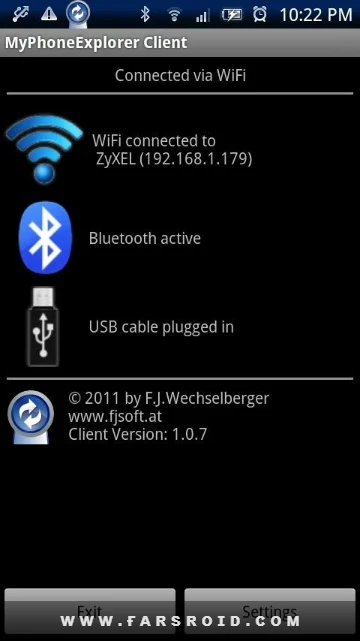
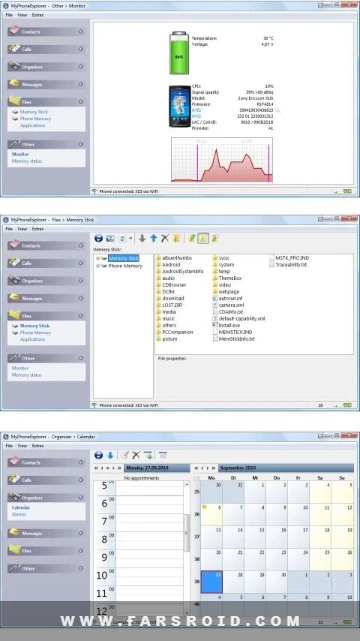
MyPhoneExplorer Client is a smart and powerful client for managing Android mobile phones via computer, developed and published by FJ Softwaredevelopment. With access to the set of tools used in this intelligent software, you will be able to access different parts of your smartphone and manage it as you wish. Everything is accessible and you just need to tap the related option. One of the most important features included is the ability to manage SMS messages and contacts; you can even send SMS to your friends remotely through your personal computer. Three different connection methods—Wi-Fi, Bluetooth, and cable—are available to connect the Android client to Windows, allowing you to choose whichever suits you best. Security is a top priority in such software, and MyPhoneExplorer Client has implemented various security layers to prevent user data theft.
Some features and capabilities of MyPhoneExplorer Client for Android:
- Synchronize your notes with Microsoft Outlook, Thunderbird, and more
- Professional SMS management with options to save on computer, backup, and more
- View the list of all your recent calls
- Professional synchronization of your Android device’s directory files
- Create backups of various parts of your smartphone
- Control your mobile phone using mouse and keyboard
- Answer calls via your personal computer
- Connect your device to the computer through three different methods
The MyPhoneExplorer Client app has gained over 5 million active downloads and received a 4.8 out of 5.0 rating from Google Play users thanks to its unique features and user satisfaction. You can now download the latest ad-free version from the popular site DroidCove.



![KineMaster 8.1.13 – Powerful Video Editor for Android [Update]](https://droidcove.com/wp-content/uploads/2026/06/KineMaster-Logo-1-100x100.webp "KineMaster 8.1.13 - Powerful Video Editor for Android [Update] 5")

