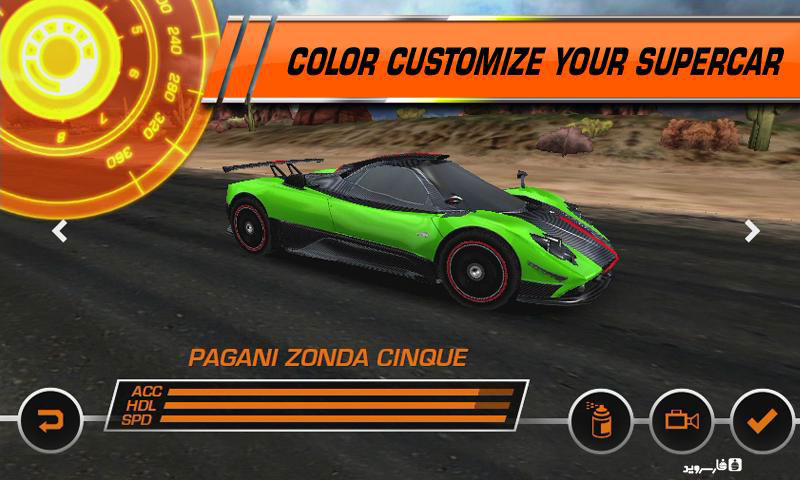
Need for Speed™ Hot Pursuit v2.0.28 + Mod – The popular and amazing Need for Speed: Hot Pursuit Android game with data + trailer
Regular version + Mod version (unlocked) separately
Paid and fully unlocked version worth $5.54 available
Tested with offline play and no internet required
Need for Speed™ Hot Pursuit is one of the first titles in the speed racing series from the well-known game studio EA GAMES for Android devices, originally released in 2014 for Android OS devices. Unfortunately, it did not receive widespread popularity, having been purchased about 500,000 times worldwide so far. This limited reception can be attributed to the game being paid, currently sold at $5.54 in the market. We have decided to introduce this game for four graphics processors: Adreno, Mali, Tegra, and PowerVR! In this game, you can drive in two different modes: either as a police officer chasing racers or by participating in exciting races to entertain yourself for hours! Although the game’s design and development do not reach the level of Real Racing 3, rest assured that its graphics and design will impress you and provide an excellent racing game experience! If you are a fan of Need for Speed games, we recommend Need for Speed™ Hot Pursuit!
The game Need for Speed™ Hot Pursuit has been tested by us on an LG G3 Android device with an Adreno graphics processor and Android 5. It runs 100% offline without requiring data, and the installation files and data for other processors are also 100% intact. To run the game without issues, carefully follow the instructions and consider the tips provided! You can first view images and a trailer of this game, and if interested, download the regular or mod version with one click from the high-speed servers of DroidCove!
Changes in version v2.0.28 :
* Various optimizations + bug fixes.
Installation and running instructions for the new version of Need for Speed™ Hot Pursuit:
– First, download and install the game APK file.
– Download the data file and extract it. Copy the folder com.eamobile.nfshp_row_wf to the Android/Obb directory on internal storage.
– Launch the game.
Installation and running instructions for the previous version of Need for Speed™ Hot Pursuit:
– First, download and install the game APK file.
– Download the data file and extract it. Copy the folder com.eamobile.nfshp_row_wf to the Android/data directory on internal storage.
– Launch the game.
Additional notes about Need for Speed™ Hot Pursuit:
- Follow the instructions only using the ZArchiver Android app.
- To identify your device’s processor, use the CPU-Z DroidCove app.
- The version for 4 graphics processors is introduced exclusively here and will soon be copied on other sites.
- The game runs 100% offline; just make sure to place the data correctly.