


Back Button v1.3 [Pro] – Android Virtual Back Button Simulator App
Professional version worth $6.49 offered to you
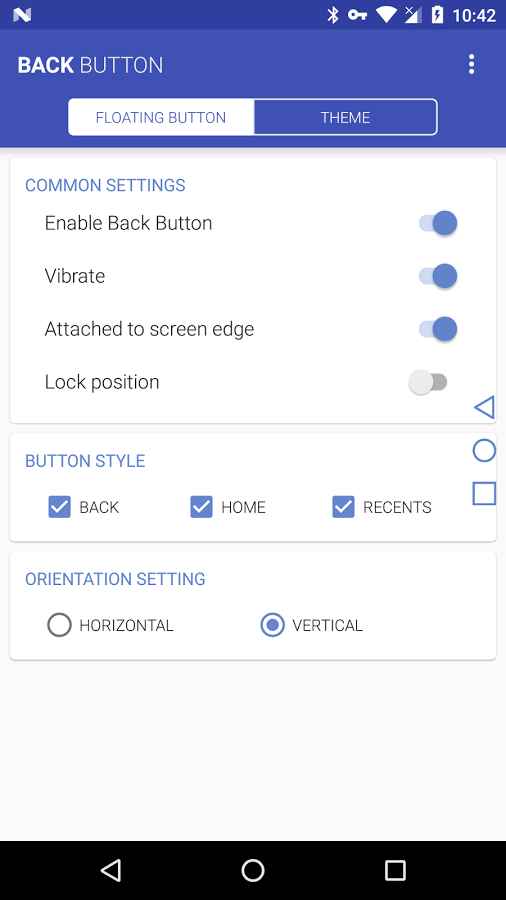
All smart devices have various touch or physical buttons for controlling different parts, making device management easier and allowing quick access to various sections. However, physical buttons can become seriously damaged over time or may suddenly stop working. In such cases, creating virtual buttons can be one of the best solutions. Back Button Pro Unlocked is a practical app for creating a virtual back button, developed by eztools for Android and released on the Google Play Store. This useful tool allows users to create a virtual back button without any issues and without root access, enabling quick return to previous screens on the Android device by simply tapping it. After creating the back button, you can place it anywhere on the screen to use it anytime without interfering with other options. Besides the back button, home and recent apps buttons are also available, and creating them depends solely on your preferences and needs.
Some features and capabilities of the Back Button app for Android:
- Create back, home, and recent apps buttons
- Place created buttons anywhere you want on the screen
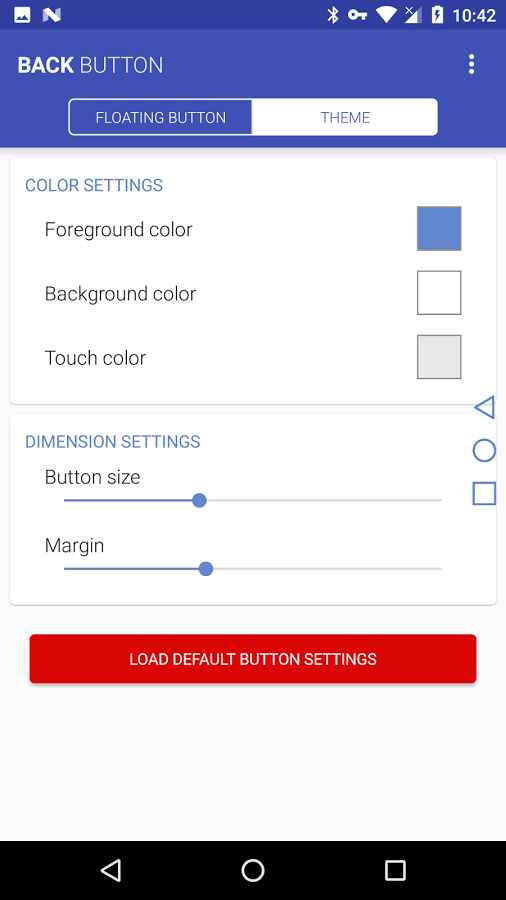
- Customize the size and color of the created buttons
- Support for both portrait and landscape modes
- Enable vibration feedback when tapping the created buttons
- Simple and user-friendly interface
The Back Button app, relying on its unique capabilities and meeting user needs, has achieved over one million active downloads and an in-app purchase price of $6.49, earning a 4.5 out of 5.0 rating. You can now download the latest professional version from the direct and high-speed links on the DroidCove website.
Version v1.3 changes:
* No changes have been mentioned for this version on Google Play.




![KineMaster 8.1.13 – Powerful Video Editor for Android [Update]](https://droidcove.com/wp-content/uploads/2026/06/KineMaster-Logo-1-100x100.webp "KineMaster 8.1.13 - Powerful Video Editor for Android [Update] 5")

