


In this post from DroidCove, we intend to introduce the interesting and very useful Framaroot application for the Android operating system, which allows you to root your Android phone without additional programs! First, it is better to get familiar with rooting and its benefits. Therefore, we will first talk a little about rooting Android phones and finally introduce and explain how this amazing app works. In general, rooting means gaining root access to the Android device, which involves various operations that enable users to access Android system files for modifications. When you turn on your Android phone for the first time, you can change many options in the settings as you wish, but these settings are the only things the phone manufacturer allows you to change. However, by rooting, you can make any changes you want.
Some benefits of rooting Android phones:
1 – Some Android applications require your phone to be rooted, such as many VPN apps, Titanium Backup, Link2SD, Tasker, and more. In such cases, rooting your Android phone is necessary!
2 – Many pre-installed apps on your Android phone are unused and unnecessary, and you cannot uninstall these default apps like regular installed apps; however, by rooting your phone, you can easily remove default apps and get rid of them!
3 – Phone manufacturers set specific speeds for the processor to optimize battery consumption, speed, and device performance by using different chipsets and processors. Sometimes, you may want to increase this speed yourself because the device may become slow, and the processor’s capability is higher than the speed set by the manufacturer. In such cases, rooting is also needed.
4 – Android itself offers many customization options, but if you want to customize your Android infinitely, root your phone and easily apply changes such as resizing the bottom navigation bar and more.
5 – If you want to experience your favorite custom ROM on your mobile, rooting is required. By installing custom ROMs like AOKP, you can enjoy Pie controls, changes in the lock screen and notifications, various themes, floating Halo notifications, toolbar and button modifications, and many other small features on your phone!
6 – Another advantage of rooting is the ability to use the latest Android version. When you root your phone and install a custom recovery, you can install official ROMs not related to your phone’s region, ported ROMs from newer devices, and different custom ROMs, always having the latest Android version with new features.
How to root your Android phone with Framaroot:
– Download and install the above software from the green box at the bottom of this page.
– Run the app from the list of installed applications.
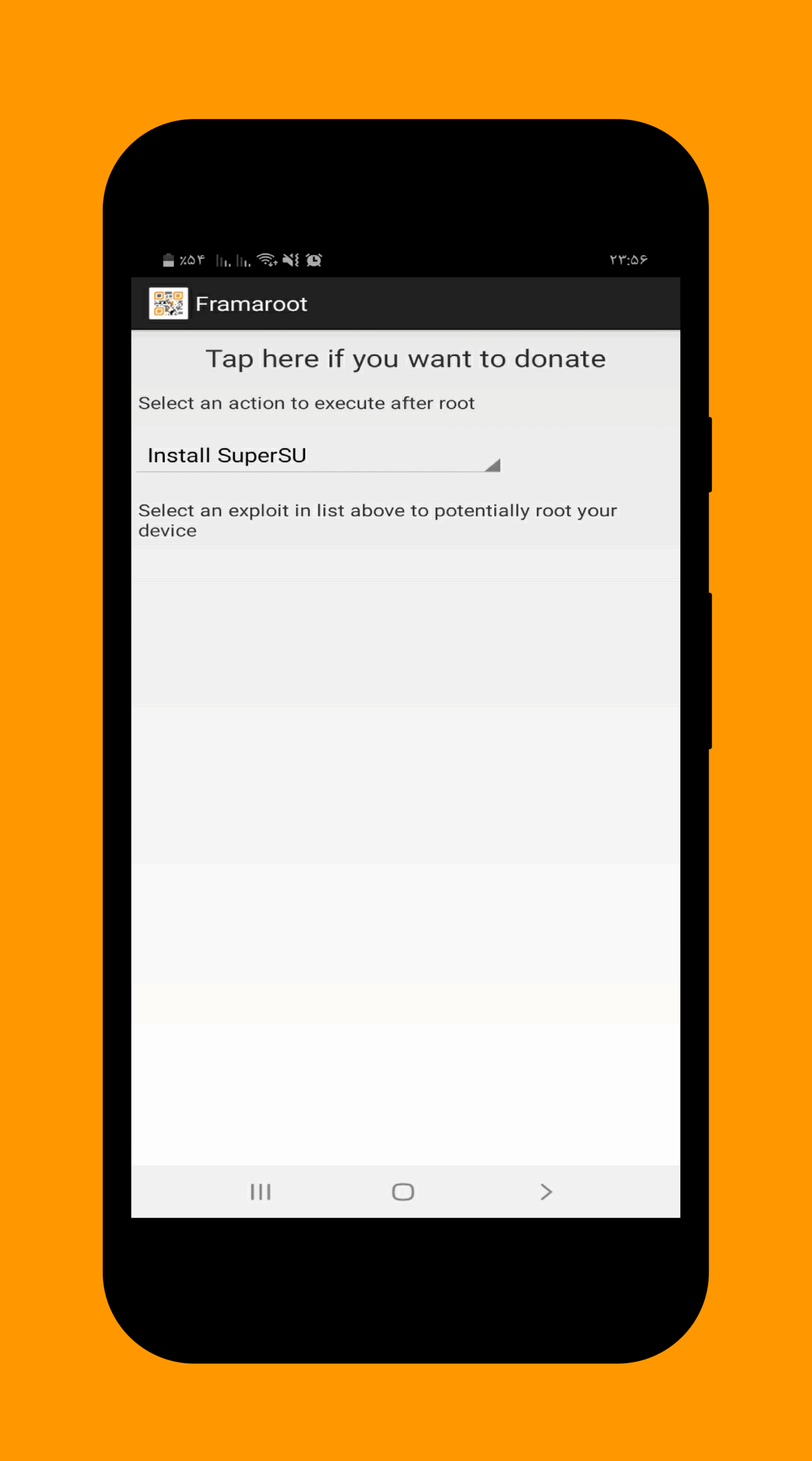
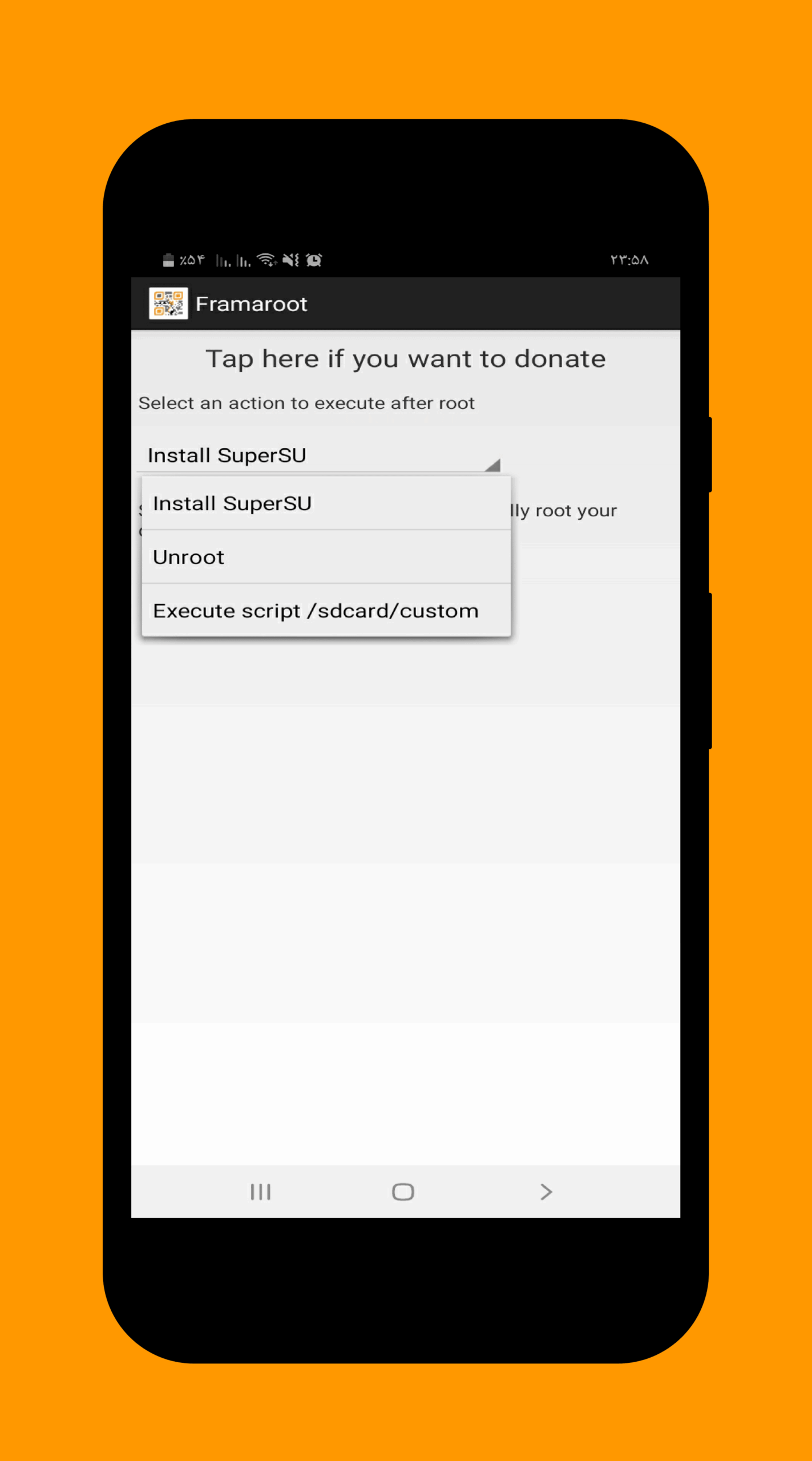
– Click the Install Superuser button in the opened list, then click on one of the first two options (Install Superuser or Install SuperSU).
– After clicking one of the mentioned options, a successful installation message indicating the device is rooted will be displayed.
– Restart your phone; your Android phone is now rooted!!!
Note: Rooting your Android phone voids its warranty, but you can unroot your phone using this app!
To see the list of phones on which this app has been successfully tested, continue reading…
Version v1.9.3 changes:
* Bug fixes and performance improvements
List of phones on which this app has been tested:
AT&T Galaxy Note 2 SGH-I317
Highscreen Explosion
Hyundai T7s
Impression 9702 (Exynos 4412)
Lenovo K860/К860i
Newman N2
Meizu MX2
Samsung Galaxy Camera EK-GC100
Samsung Galaxy Note 10.1 GT-N8000, GT-N8010, GT-N8013, GT-N8020
Samsung Galaxy Note 2 GT-N7100
Samsung Galaxy Note 2 LTE GT-N7105
Samsung Galaxy Note 8.0
Samsung Galaxy Note GT-N7000
Samsung Galaxy S GT-i9000
Samsung Galaxy S2 AT&T SGH-I777
Samsung Galaxy S2 Epic 4G Touch – SPH-D710
Samsung Galaxy S2 GT-I9100
Samsung Galaxy S3 GT-I9300
Samsung Galaxy S3 LTE GT-I9305
Samsung Galaxy Tab Plus GT-P6200/GT-P6210
Samsung Galaxy Tab 7.7 GT-P6800/GT-P6810
Samsung SGH-i997 Infuse 4G
T-Mobile Galaxy Note 2 T-889
Verizon Galaxy Note 2 SCH-I605
iBerry Auxus CoreX2 3G and CoreX4 3G
Samsung Galaxy Core GT-I8262
Samsung Galaxy Proclaim S720C
Samsung Galaxy Young GT-S6312/GT-S6310
Samsung Lightray SCH-R940
Asus Padfone 1/2
Asus Padfone Infinity
Asus Transformer Pad Infinity TF700KL
BW T18+ (Fortis Evo)
Cloudfone Thrill 430x
Disgo 8400g
DNS S4504/S4503/S4502
FAEA F1
Gigabyte GSmart G1315 Skate
Gigabyte GSmart Rio R1
Google Nexus 4
Highscreen Spark/OMEGA Q/Blast/Strike/Boost
HTC One S
Huawei Honor Pro (U8950-1)
Huawei U8815/U8816 Ascend G300/G301
Huawei U8825D Ascend G330D
Karbonn Titanium S5
Kyocera Torque
Lenovo S870E
LG Nitro HD
LG L7 II P710/P714/P715
LG Optimus F5 (P875)
LG Optimus G E970/E975
LG Optimus L3 II E425
LG Optimus L5 E610/612/615
LG Optimus L7 II P710/P713/P714/P715
LG Optimus L7 P700/Р705
LG Optimus LTE 2
MEDION LIFE P4013
Micromax A111 Canvas Doodle
Oppo Find 5
Orange Nivo
Pantech Discover
Pantech IM-A840S Vega S5
Samsung Galaxy Win I8552
Sharp Aquos Phone SH930W
Sony Xperia E C1505/Dual C1605
Sony Xperia L C210X
teXet TM-3204R
teXet TM-4677
Xiaomi Mi-2S
ZTE V880G/ZTE V955



![KineMaster 8.1.13 – Powerful Video Editor for Android [Update]](https://droidcove.com/wp-content/uploads/2026/06/KineMaster-Logo-1-100x100.webp "KineMaster 8.1.13 - Powerful Video Editor for Android [Update] 5")

